




A note on every entry
What it does well, from layout to copy, plus its palette, type and stack.
Pages, sections, animations and illustrations, each with a short note on why it works. Plug in the MCP and your agent browses it too.
No spam. One email when your invite is ready.
By joining, you agree to get emails about Veoboard. Unsubscribe anytime. See our Privacy Policy.
The library
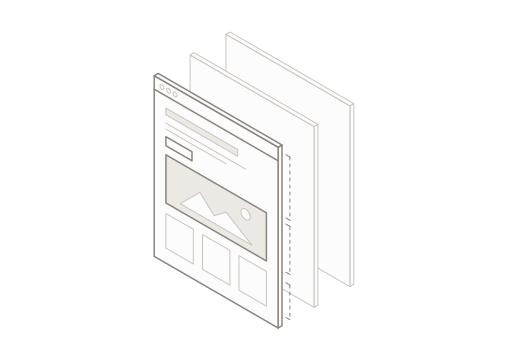
Most galleries stop at a screenshot of the hero. Veoboard splits every site into what you actually design with.
Full sites, top to bottom, with every section marked so you can follow the story.
Heroes, pricing, FAQs and footers, split out and tagged to compare side by side.
Motion captured as playback, not a frozen frame. Scrub through every transition.
Illustration-led sections, filtered by style, palette and mood.
Every reference, explained
What it does well, from layout to copy, plus its palette, type and stack.
Section, industry and style tags on every entry.
Put two references next to each other and see what each one does differently.
The same notes feed the MCP, so it knows why a reference fits.
MCP included
Connect Veoboard once and your coding agent can search the library, read each note and build with the right references.
> Build a pricing section for our fintech app. Find illustrated references on Veoboard first.
● veoboard - search_sections (MCP)(query: "pricing", style: "illustrated")
⎿ Found 12 references · showing 3
1. Fernpay Three-tier pricing, illustrated savings card
● veoboard - get_entry (MCP)(id: "fernpay-pricing")
⎿ Why it works: lifted middle plan · savings illustration · one verb-first CTA
● Write(app/components/PricingSection.tsx)
Works with
 Claude Code
 Cursor
 Codex
 VS Code
A curated inspiration library of marketing websites. Browse full pages, sections, animations and illustration-led sections, each with a short note on why it works.
Three things: motion and illustration get their own categories instead of being a tag, every entry is described in words, and an MCP server is part of the product from day one, so AI agents can use the library too.
MCP (Model Context Protocol) is an open standard that lets AI tools connect to outside data. With Veoboard's MCP, your coding agent can search for references and read their notes while it builds, instead of you pasting screenshots into the chat.
Any client that supports remote MCP servers, such as Claude Code, Cursor, Codex, VS Code or GitHub Copilot. We'll publish setup steps for each one at launch.
We're building it now. People on the waitlist get in first, in waves, before the public launch, and hear about pricing before anyone else.
Yes. This site is available in English, Spanish and Portuguese, and we plan to offer the library in all three languages.
Join the waitlist and we'll send your invite as soon as Veoboard opens.
By joining, you agree to get emails about Veoboard. Unsubscribe anytime. See our Privacy Policy.